AI Interior Design, Explained: How Room Redesign Tools Actually Work
If you have ever stood in your living room wondering whether a new sofa would fit, or scrolled through Pinterest without ever picturing those ideas in your space, this guide is for you. “AI interior design” is a phrase that gets thrown around a lot, and the tools behind it are not all the same. Here is a plain, honest look at what the category actually is, how the tools work under the hood, and what you can realistically expect — especially if you rent and can’t knock down a wall.
What “AI interior design” actually means
At its simplest, AI interior design is using a machine-learning model to help you imagine a redesigned space. Instead of hiring a designer or building a room in 3D software, you describe what you want — or hand the tool a photo — and it generates a decorated version of the room in seconds.
But that umbrella covers several very different things, and it’s worth separating them before you pick a tool:
1. Mood-board and inspiration tools
These generate pretty rooms from a text prompt (“a cozy Scandinavian bedroom with a reading nook”). The images are inspiring, but they are somebody’s room, not yours. The proportions, the window placement, the awkward radiator in the corner — none of that carries over. Great for dreaming; not so useful for a real decision.
2. Room-redesign tools
These take a photo of your own room and repaint it in a new style while keeping the walls, windows, and general layout in place. You still recognize the space — it just looks like a better-decorated version of itself. This is the category InteriorCapsule sits in.
3. Shoppable redesign tools
A smaller group goes one step further: after redesigning your room, each piece of furniture in the image is matched to a real product you can actually buy. That turns a pretty picture into a starting shopping list. This is the part that makes the difference between “nice idea” and “okay, I’ll order that.”
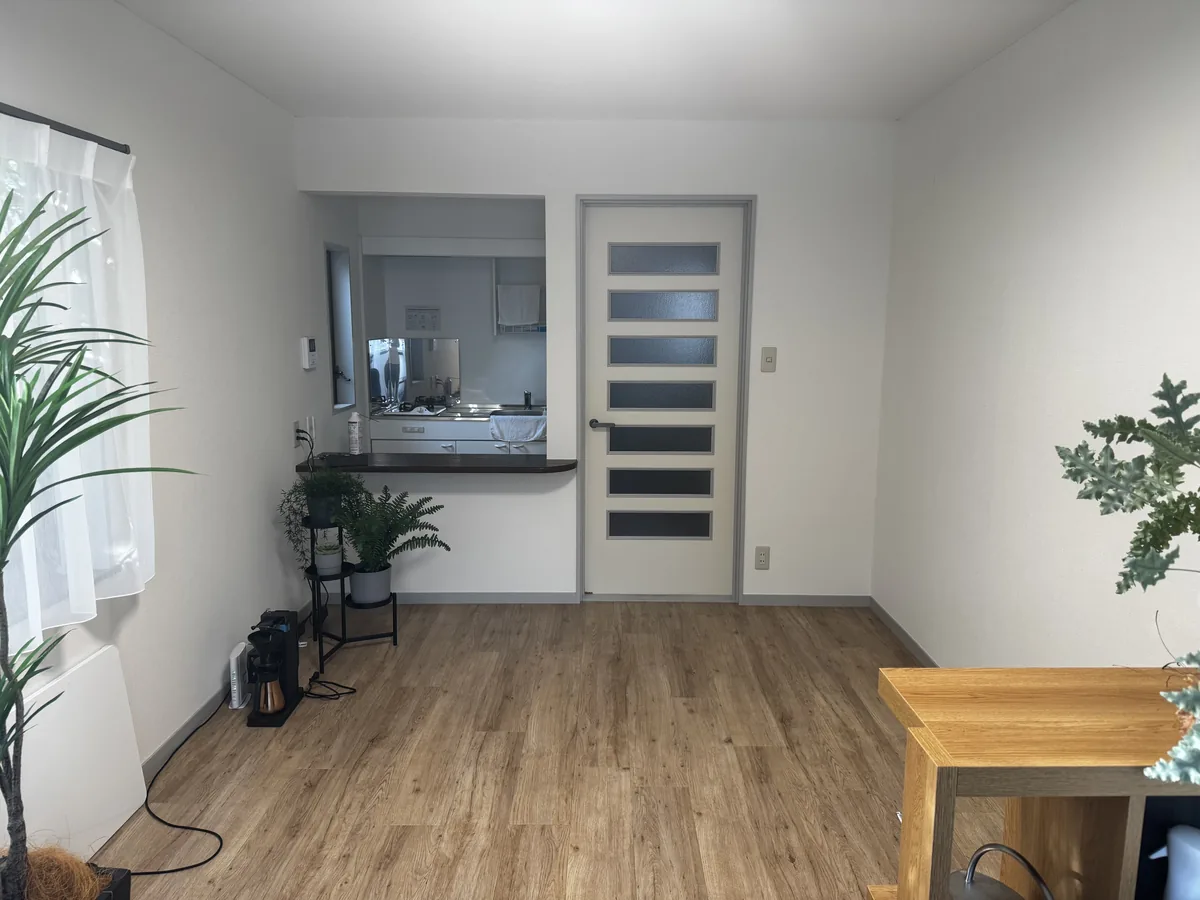
Before — your photo
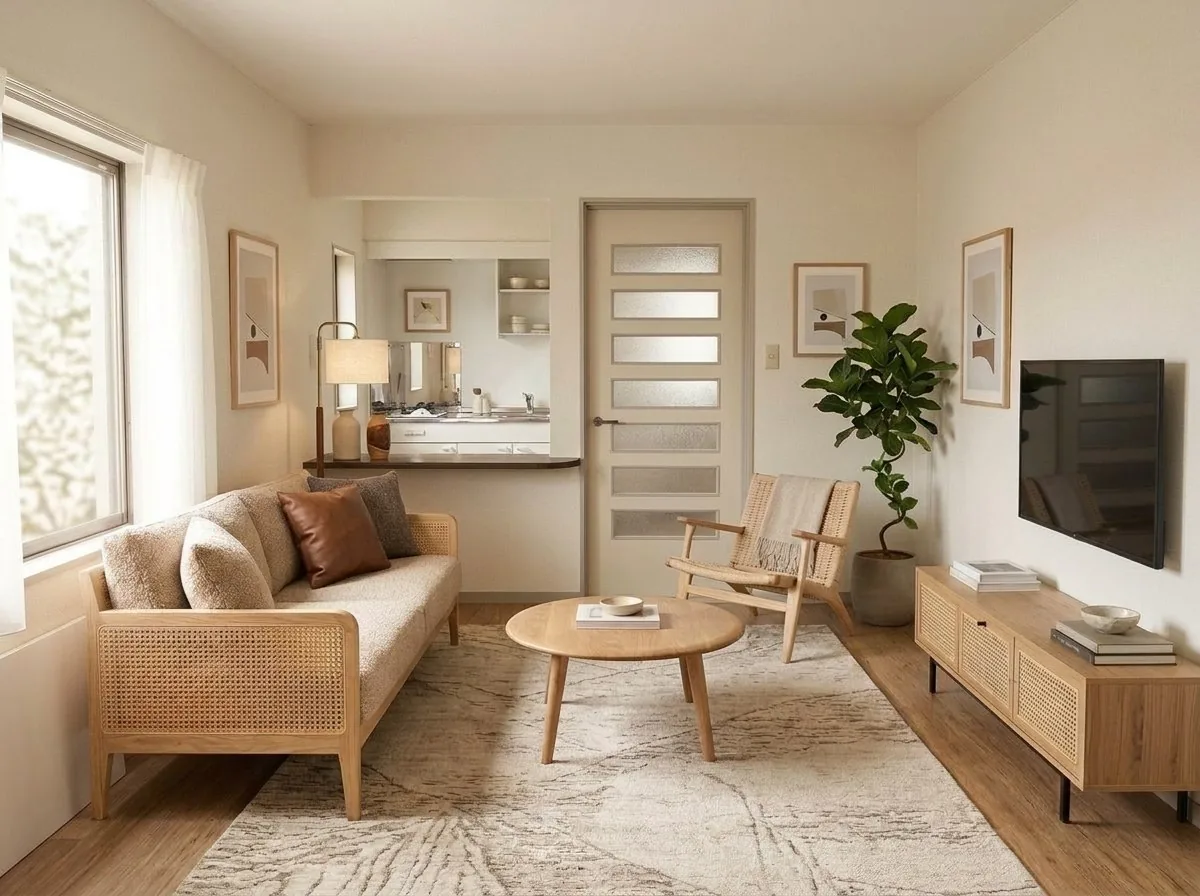
After — AI redesign
The room is the same room. Only the decor changes — walls, windows, and proportions stay put.
How room-redesign tools work, step by step
You don’t need to understand the math, but a rough mental model helps you get good results (and set fair expectations). Here’s what happens after you upload a photo.
Step 1 — The tool “reads” your room
The model looks at your photo and figures out the structure: where the walls meet the floor, where the windows and doors are, and roughly how deep the room goes. This is why a clear, straight-on photo matters so much — if the tool can’t see your corners and floor, it has to guess, and guesses show up as odd-sized furniture. (Our companion piece, how to photograph your room, walks through the good and bad angles.)
Step 2 — It redesigns in the style you chose
You pick a look — Modern, Organic Modern, Mid-Century Modern, Scandinavian, Japandi, Boutique Hotel, Industrial, Soft Pastel, or Kids — and the model repaints the room in that direction: new sofa, new rug, different lighting, a tidier feel. The layout you started with is preserved, so a 10 ft × 12 ft (about 3 m × 3.7 m) bedroom still reads like your bedroom, not a showroom.
Step 3 — It finds real products that match
This is the step most tools skip. In InteriorCapsule, once the redesigned image exists, the app detects each piece of furniture in it and searches a catalog of real products for the closest visual match. Every numbered tag on the image links to an actual item for sale, with its price and a link to the retailer’s page.
How this differs from a mood board
If you’ve used a pin board or a text-to-image app, the gap is worth spelling out:
- It’s your room, not a stock room. A mood board shows an ideal space from someone else’s home. A redesign shows your space, with your window in the same spot, so you can judge whether the look actually works here.
- The furniture is shoppable. On a mood board, the beautiful chair is usually untraceable — discontinued, custom, or a prop. In a shoppable redesign, the tag points to a real product you can price and buy today.
- It supports a decision, not just a daydream. Seeing a similar-sized sofa placed against your actual wall tells you far more than a Pinterest board ever could about scale and color fit.
If you want to go deeper on choosing a direction first, our interior design styles guide breaks down every look, and the Japandi style guide covers our most- requested minimalist option in detail.
What good results actually look like
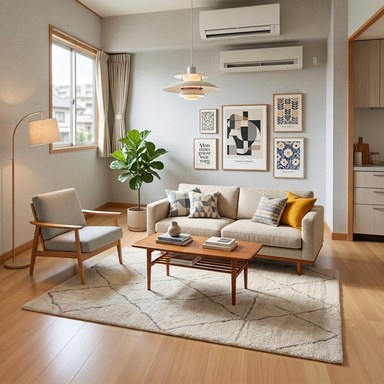
Set your expectations here and you won’t be disappointed. A strong result usually means:
- The room is clearly recognizable — same walls, same windows, same footprint.
- The furniture is scaled sensibly for the space, so a loveseat doesn’t swallow a small studio.
- The style reads consistently: colors, materials, and lighting all pull in one direction.
- The product tags point to items that genuinely resemble what’s shown, in a realistic price range.
The most reliable move is to generate the same room in two or three styles and compare. Seeing your living room as Modern, then Organic Modern, then Japandi is often the fastest way to discover what you actually want — something that’s surprisingly hard to know in the abstract.
The limits — and why honesty matters here
No tool worth trusting will pretend it can do everything. Here’s where AI room redesign stops:
Structural changes are visual concepts, not construction plans
If a redesign appears to remove a wall, widen a doorway, or add a window, treat that strictly as a look-and-feel idea. It is not an architectural drawing, a load-bearing assessment, or a permit. For anything that touches the bones of your home, talk to a contractor or designer. The value of the tool is in decor and layout inspiration, not renovation engineering.
Products are “similar,” not identical
As noted above, links go to real items that resemble the generated furniture. Always open the product page and check the real photos, dimensions, and price before you buy — especially for large pieces where fit matters. Our furniture size guide helps you sanity-check dimensions against your real room.
Great input still beats great AI
A blurry, cluttered, or partial photo will produce a shakier redesign. The model is only as good as what it can see. Two minutes of tidying the frame and stepping back for a fuller shot does more for your result than any setting.
Is your room photo private?
Fair question, and a common one. Your photo is used to generate your redesign — that’s its job. It is not published anywhere unless you choose to share a result, and you stay in control of what, if anything, becomes public. For the exact details of how uploads are handled and retained, see our privacy policy. If you’d rather keep a photo entirely to yourself, you can simply generate, review, and never publish.
Especially useful if you rent
You don’t own the walls, but you own the decor decisions — and those are exactly what a redesign tool is best at. Before you buy a rug, commit to a paint-free color scheme, or haul a sofa up three flights, you can see the result on your actual apartment first. For renter-specific ideas that don’t risk your deposit, see our renter-friendly room makeover guide, and for arranging what you have, room layout basics.
Want a realistic preview of what you’ll get and how long it takes? Read what to expect from AI room design before you start — it’s the honest version, not the hype version.