What AI Room Design Can and Cannot Do: An Honest Guide
If you're curious about AI room design but wary of the hype, this guide is for you. Whether you're a renter trying out a look before you commit, a homeowner planning a refresh, or someone who just wants to shop smarter, it helps to know exactly what these tools do well and where they fall short. We built InteriorCapsule, so we'll be straight with you about both.
What AI room design does well
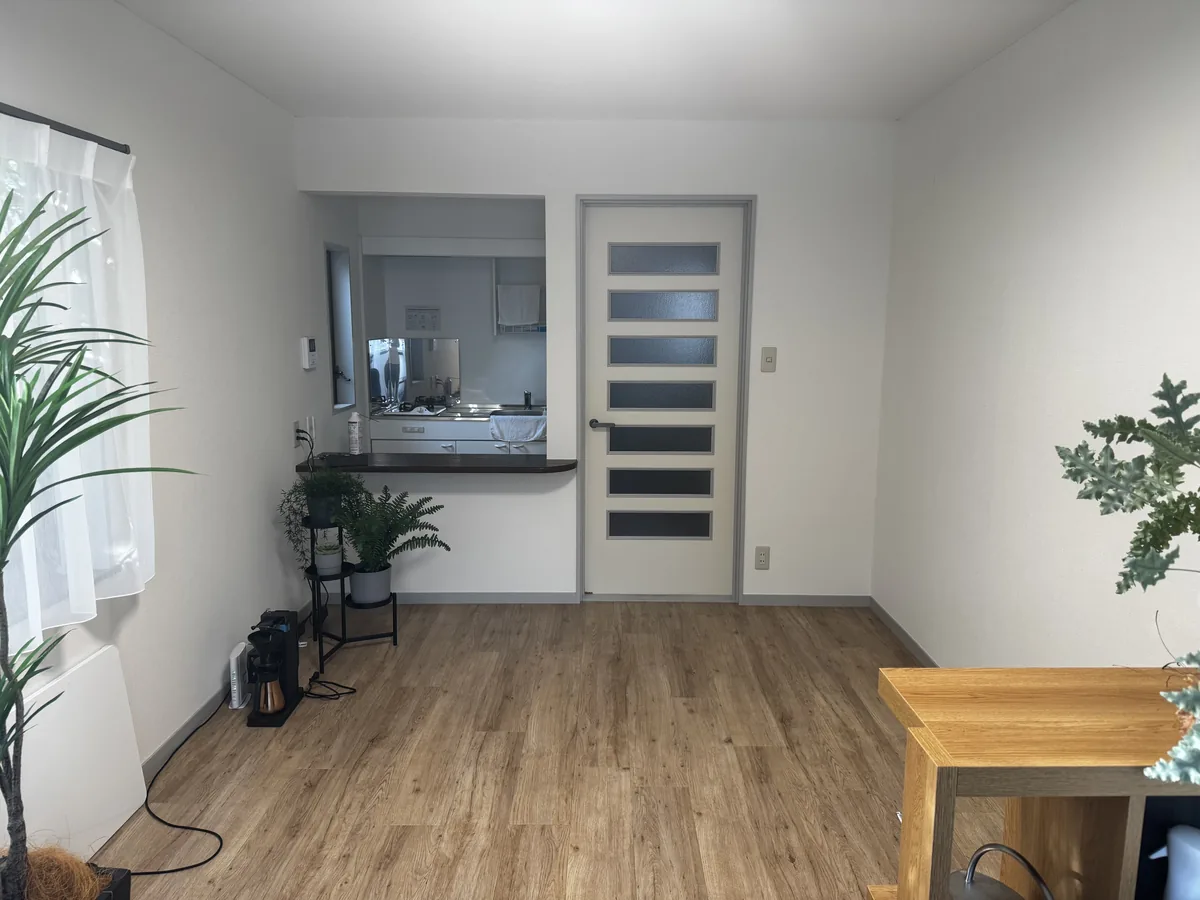
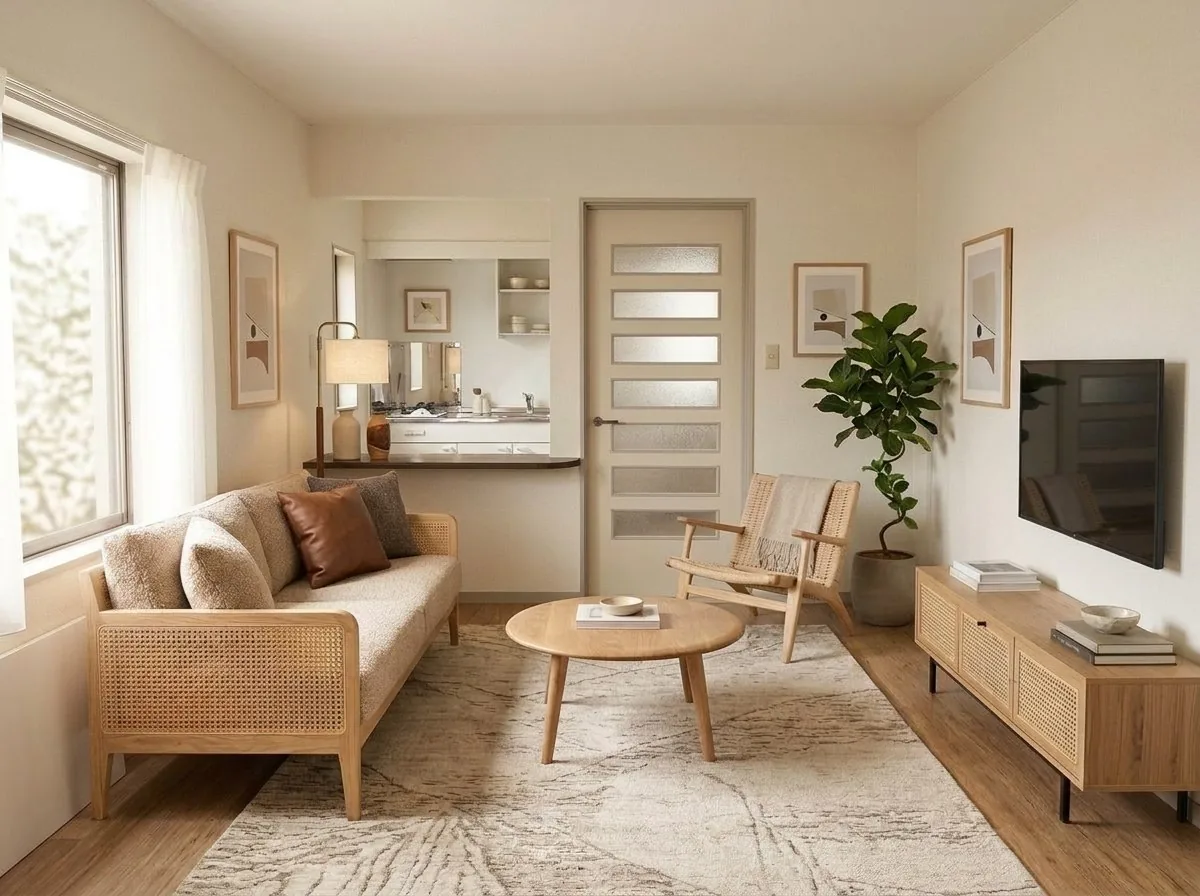
Notice that the window, wall corners, and room shape stay put. Only the styling changes.
It restyles the room you already have
This is the part that surprises people. You are not generating a random showroom — you upload a photo of your own living room, bedroom, or studio apartment, and the AI redesigns that space. The result looks like a plausible version of your room with different furniture, colors, and decor, not a stock photo of someone else's home.
It keeps the room's geometry
The tool reads the bones of your space from the photo: where the walls meet, where the window and door sit, and how deep the floor runs. It designs on top of that structure, so a couch lands where a couch would actually fit and a rug follows the real floor. When your photo clearly shows the walls, floor, and corners, the proportions come out believable. Learn how to frame that shot in our guide to photographing your room.
It links to similar real furniture you can shop
This is the honest heart of how we work, and it's worth stating plainly. Every generated image is an AI concept. The numbered tags on the furniture don't link to the exact pixels you see — they link to real products that resemble what's shown, pulled from a catalog of items you can actually buy. So instead of falling in love with a sofa that doesn't exist, you get a shoppable starting point: a real armchair, a real floor lamp, a real area rug that looks close to the vision. You compare styles, then follow a link to the retailer to see the real photos, dimensions, and price.
What AI room design cannot do
-
Can'tMatch the exact product shown
The furniture in the image is AI-generated, so there is no single "buy this exact item" behind it. We link to the closest real match we can find, which may differ in fabric, finish, or leg style.
-
Can'tRenovate or change structure
It restyles — it doesn't remodel. It won't remove a wall, add a window, raise a ceiling, or re-do your floor plan. Those are contractor jobs, not a photo edit.
-
Can'tGuarantee colors or sizes
Screen colors shift between devices, and a linked product's real dimensions may not fit your space. Always check the retailer's listing for exact measurements and current color options before you buy.
-
Can'tRead your exact taste
It works from the style you pick and the photo you give it. The first result may not nail your vision. Trying a couple of styles usually gets you closer than expecting a perfect first pass.
None of this is a knock on the technology — it's just the honest boundary. Used as inspiration and a shopping shortcut rather than a literal shopping cart, AI room design is genuinely useful. Used as a promise that the exact chair on your screen will arrive at your door, it will disappoint. For a plain-language primer on the technology itself, see what is AI interior design.
How the product links actually work
When you tap a numbered tag in a generated room, we show you a real product that visually resembles that piece and send you to the retailer's page to buy it. Because we surface similar real items rather than exact matches, you should always confirm the details — material, dimensions, color, price, and availability — on the retailer's own listing before ordering. A sofa that looks perfect in the concept image might be 6 inches (15 cm) too wide for your wall, and only the real listing will tell you that. Our furniture size guide walks through measuring before you commit.
Product links may be affiliate links; we may earn a commission at no extra cost to you. It does not change the price you pay, and it doesn't decide which products we match — we match on visual similarity, not commission.
How to get better results
Start with a good photo
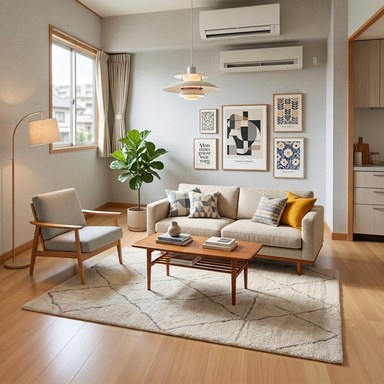
Photo quality is the single biggest factor. Stand in a corner or doorway, step back, and capture the whole room in daylight or with the lights on. Make sure the walls, floor, and at least one room corner are visible, and keep the window and door unblocked. Blurry, dark, cropped, or close-up shots give the AI too little to work with. Full details are in our room photo guide.
Choose a style that fits
InteriorCapsule's styles include Modern, Farmhouse, Mid-Century Modern, Boho, Scandinavian, Organic Modern, Industrial, and Japandi — plus a few more in the app. Picking a specific style gives the AI a clearer target than a vague "make it nice." If you're torn between looks, generate the same room in two or three styles and compare — it's often the fastest way to discover what you actually like. Our interior design styles guide and Japandi style guide can help you decide.
Set a budget so the matches stay realistic
You can set a budget, and the product matches respect it. That keeps the suggestions grounded in what you can actually spend, instead of pairing your rental living room with a designer sofa priced far outside your range. It is especially handy for renters and first apartments — see our renter-friendly room makeover and room layout basics for budget-minded ideas.
Why we auto-refund failed generations
Sometimes a generation just doesn't come out right — a photo the AI can't read, a rare hiccup on our end. When a generation fails, we automatically refund the credit for it. You should never pay for a result you didn't get. We would rather return the credit quietly than make you notice, ask, and wait. It is the same honesty we try to bring to the rest of the product: tell you what to expect, and make it right when we fall short.
Try it on your own room — free
The best way to calibrate your expectations is to run one photo through it. You get Six free designs to start, no sign-up required. Upload a room, pick a style, and see for yourself what AI room design does — and what it leaves to you.
Redesign my room in Scandinavian style →